


Account risk tiers

- Low, medium and elevated tiers
- Flagged payment review
- Risk tier on every account
Track volume, approval health, every payment and account risk in one console built for payments teams.
 Working demo
 No sign-up
 Built by Randy See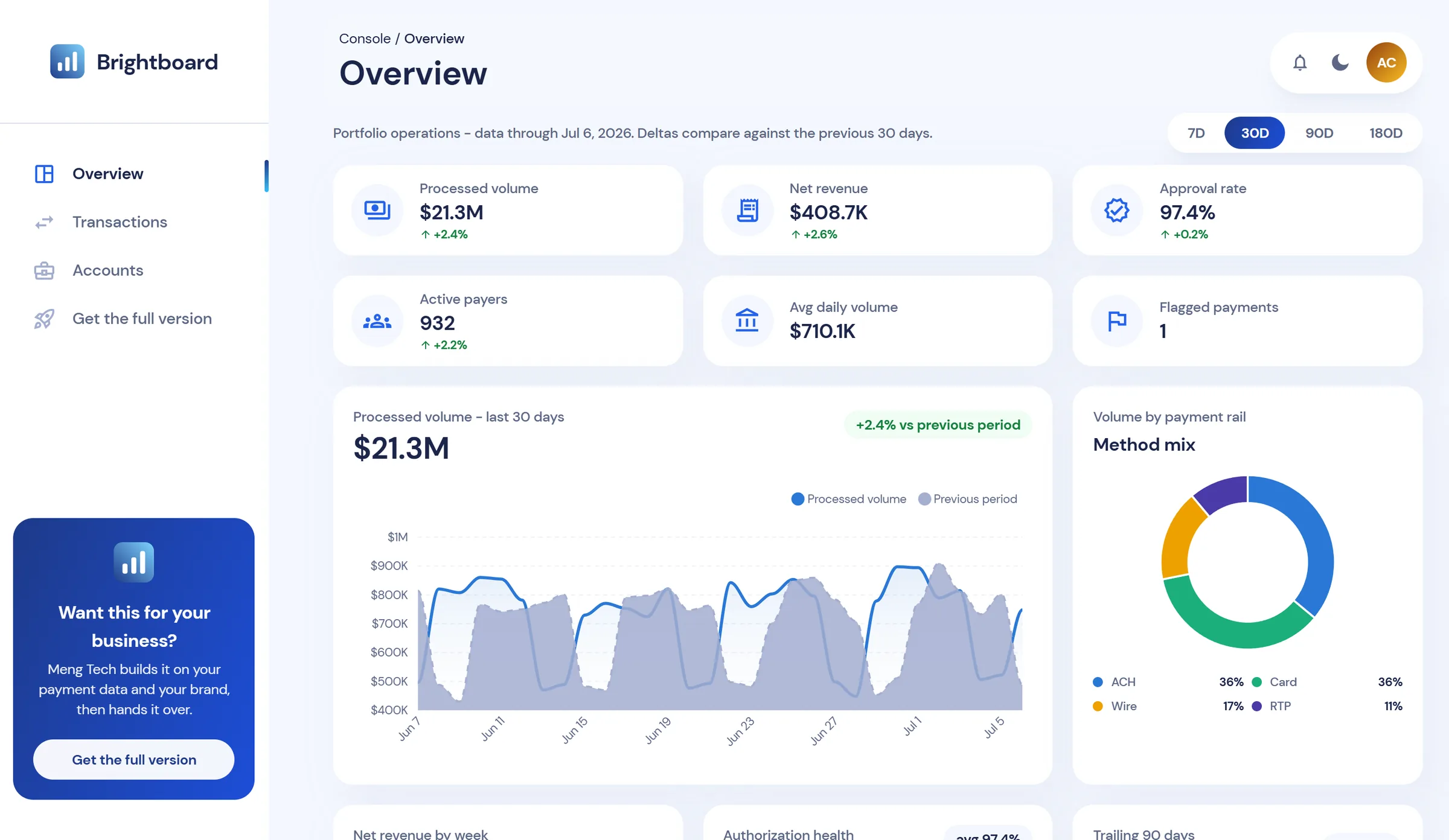





 Volume, approvals and refunds sit in separate processor exportsNo quick way to compare this period against the last oneFinding one payment means digging through spreadsheetsRisky accounts surface only after a problem lands
Manual
Reports stitched together
Late
Risk spotted after the fact
 Volume, revenue and approval rate on one screenVolume, revenue and approval compared with the previous periodSearch, filter and export the full ledger to CSVRisk tiers and flagged payments in plain sight
4 windows
7, 30, 90 and 180-day views
1 click
CSV of any filtered view


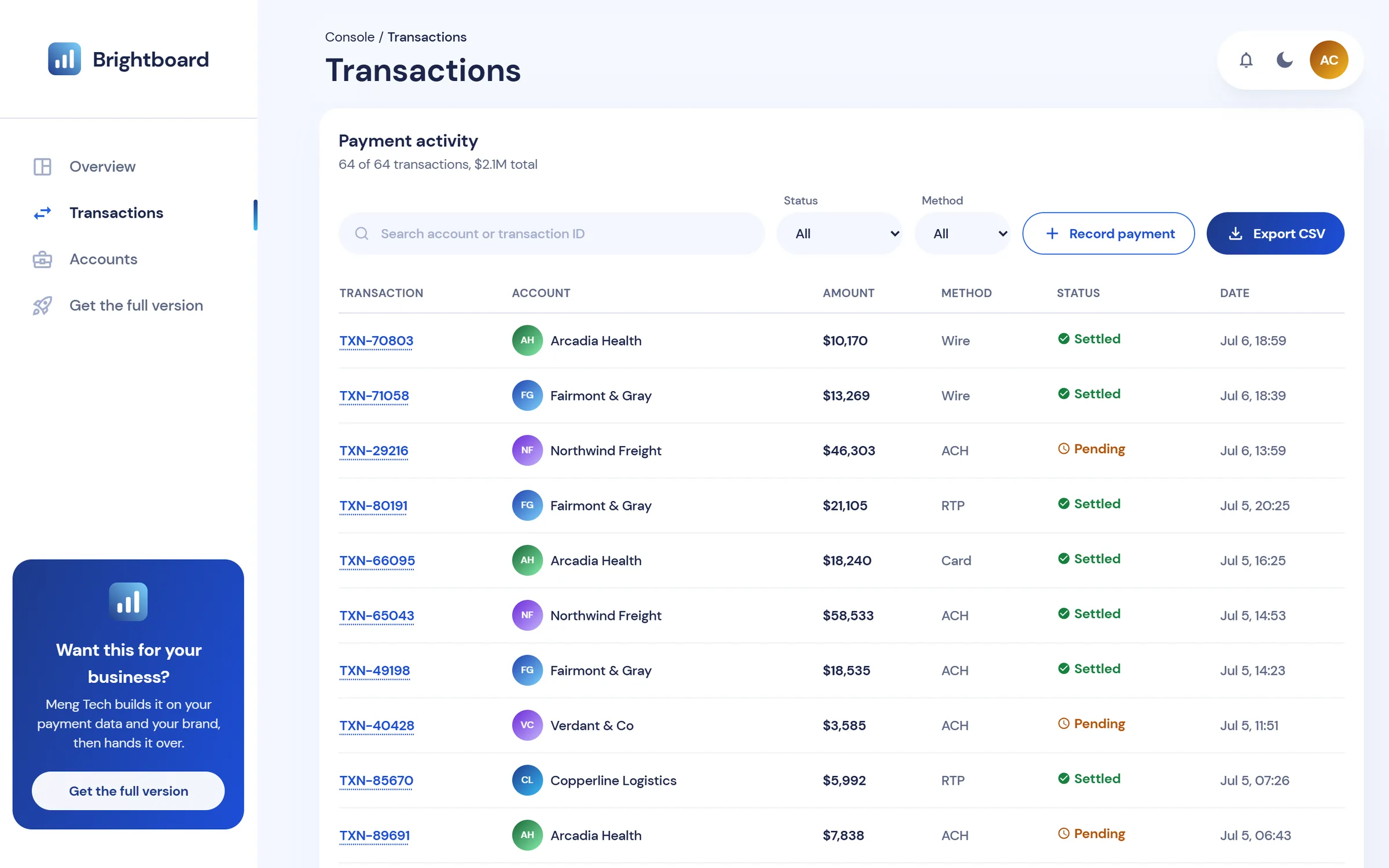
Every payment in one searchable table, with status, method and account, ready to export.

ACH, card, wire and RTP volume, side by side.

Explore a working console that brings volume, the transaction ledger and account risk together in one clear view.

Everything in one place:
Volume, payments and accounts together in one clear, unified console.

Answers in seconds:
Filter by status, method or account and export exactly what you see.

Built for focus:
A clean interface, in light or dark, that stays out of your way.

Try Brightboard on sample data, tell us about your payments, and Randy See builds it on your stack.
0
Sign-ups needed to open the live demo
1 chat
On WhatsApp to scope your full version
Every view works on seeded data, right in your browser.
Tell us your processors, data sources and must-have views on WhatsApp.
Randy See builds, brands and deploys it on your data, then hands it over.
 Demo data never leaves your browserNo sign-up and no tracking scriptsFull version in your own cloud, or one we manageCode and access handed over to your team
Check volume, approvals and the review queue in one place every morning.
Every morning
Volume, approvals and flags at a glance

Compare processed volume and net revenue with the previous period, then export the ledger behind it.
4 windows
7, 30, 90 and 180-day comparisons

Spot elevated-risk accounts and work through flagged payments before they escalate.
3 tiers
Low, medium and elevated account risk

Give your team a branded payments console without building one from scratch.
Built for you
By Randy See, on your own data
“We build consoles like this on your own payment data, then hand the code to your team.”
Brightboard runs on Next.js, React and TypeScript. Randy See connects the full version to your processors, bank files and warehouse.
Built with Next.js, React, TypeScript and Tailwind on Vercel. The full version connects to sources such as Stripe, PayPal, Adyen, Square, PostgreSQL, Snowflake, BigQuery, QuickBooks, Xero, Google Sheets and Slack.
Your processors, banks and warehouse, wired in

Every figure below is live in the demo, generated from the same seeded data.
Days of history

360
Longest view: 180 days against the 180 before.
Seeded payments

64
Work them through settle, flag and refund.
Demo accounts

9
Fictional companies with risk tiers.
Comparison windows

4
7, 30, 90 and 180-day views.
Payment rails

4
ACH, card, wire and RTP.
Switch to 90 days: the KPIs and charts recompute, with volume plotted against the period before.
Filter the ledger to pending ACH payments, then export exactly those rows to CSV.
Open a flagged payment and clear it or refund it. The flagged count updates as you go.
Star the accounts you care about and show only those, with risk tier and trend.
Record a new payment and see it land at the top of the ledger and the overview.
Flip the theme: charts and colours are tuned separately for light and dark.

Best for a first look
Now
 Overview, transactions and accounts views7, 30, 90 and 180-day comparisonsSearch, filters and CSV exportYour changes saved in this browserLight and dark themesReset the demo data any time
Built on your data
Yours
Connected to your processors and dataYour brand, domain and copyThe views and alerts your team needsYour cloud, or a deployment we manageCode and access handed overReply within one business dayQuick answers about the live demo, the full version, and how Randy See works.
Message us and Randy See will walk you through it.
The console is fully working, but the data is not. It runs on a seeded, fictional nine-company portfolio, so every view and filter is safe to explore and nothing you do leaves your browser.
Yes. Randy See connects Brightboard to processor APIs, bank and settlement files, or your data warehouse, and maps your own statuses and payment methods into the console.
Yes. Logo, colours, domain, and copy are all yours. The theme system carries through charts, dark mode, and focus states.
Wherever you choose: your cloud account, or a managed deployment we set up for you. The console itself calls no third-party services at runtime.
Message Randy See on WhatsApp or email with what you process and where the data lives. We scope a custom build around your sources and views, then build, deploy, and hand it over. We reply within one business day.