






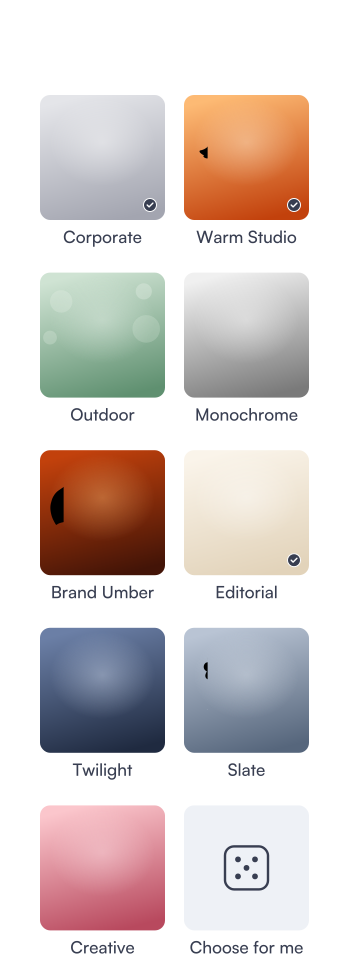
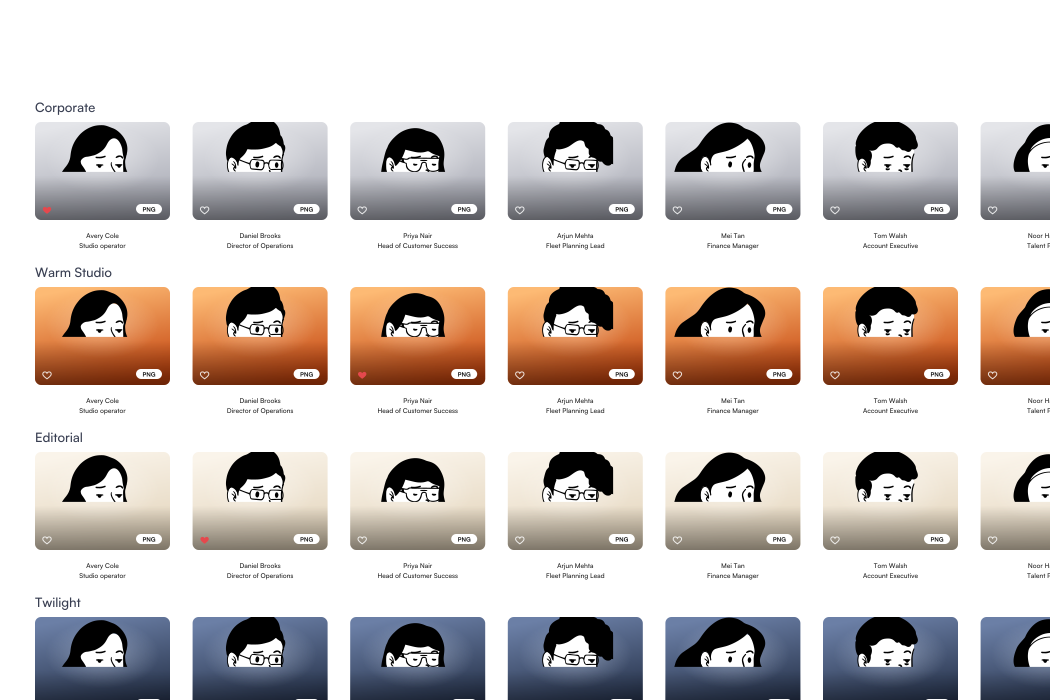
9 style packs for every profile you can think of
Professional presets
Corporate, Slate and Editorial for LinkedIn, bios and directories.
Brand-matched packs
Brand Umber shows how a palette becomes a pack. Yours comes later.
Creative looks
Warm Studio, Twilight, Outdoor and Creative for speaker kits.
Quick previews
Four takes per pack, ready to favourite or render again.






Studio-style results without leaving your desk
Retouch slider
Dial softening from true to life to polished before training.
Re-render any take
Not quite right? Ask for a fresh take of a single shot.
Four export formats
A 4:5 portrait, a LinkedIn square, a badge circle or a contact sheet.
One look for teams
Lock a house style and every teammate renders against it.

Twenty things to try in the live demo
Every card below is something you can do right now in your browser. No sign-up, and nothing is uploaded.

No photos handy? Pick one of twelve illustrated sitters and run the whole flow, from intake to downloads, in under a minute.

Add up to 12 selfies from your phone or laptop. They are checked and resized on your device, never uploaded.

Dark, overexposed or low-resolution photos are flagged before you continue, each with a plain reason, so you know which ones to swap out. HEIC files and anything over 15 MB are turned away with a note.

Can't decide between nine packs? Let the studio pick three at random, then swap any of them by hand. You can keep up to four packs in one session.

Slide the retouch control from true to life to polished before you start training. Softening applies to your own photos only, while the illustrated sitters stay crisp, so you can compare a light touch with a heavy one.

Training is simulated in the demo. Watch the stages tick by, from the intake check to aligning faces and rendering previews, or press Skip the wait and jump straight into the finished gallery for the session.

Heart the shots you like, then filter the gallery down to just your favourites before you export anything.

Not quite you? Ask for a fresh take of any single preview in the same pack. In the demo every re-render is instant, and you can repeat it as often as you like.

Every preview downloads as a 4:5 portrait, a LinkedIn square or a transparent badge circle, ready for any profile you use.

Download your favourites, or the whole session if you have not picked any yet, as one contact sheet. It is handy for a quick review with a manager, or for approving a whole team's photos in one place.

Give a session a clearer name with the Rename button, such as a speaker kit or a LinkedIn refresh. Changes are saved in this browser.

Switch the team's style lock and every delivered headshot on the Northwind Freight roster re-renders in the new house style, so the whole company keeps one backdrop, framing and light.
Add a teammate with a name, a work email and an optional role. The invite joins the roster as waiting for selfies, just like a new hire on day one.
Press Simulate delivery on any invite to see that person's headshot arrive in the locked house style. In the full version they would get a link to upload selfies, and their photo would land the same way.
Sessions, favourites and the team roster all survive a reload. Everything lives in this browser's local storage and nowhere else.
Reset demo data in the studio header clears every session, photo and invite you added, then restores the sample account.
Delete a session from its own page and its photos and previews are removed from this browser straight away. Nothing is kept on a server, because in the demo nothing was ever sent to one, not even a thumbnail.
Remove any preview you don't want from the gallery. The rest of the session stays exactly where it was before.
Collapse the demo notice into a small tab when you want a cleaner view of the studio, and reopen it any time.
Like the flow? Message Randy See on WhatsApp or by email to scope real AI renders, your branding and your own backend.
Start in 4 simple steps
Open the studio
No sign-up and no download. The demo runs in your browser with a sample account, two finished sessions and a seeded team, all ready to explore.
Add your selfies
Drop in a few casual photos or pick a sample sitter. An intake check flags anything too dark, overexposed or low resolution before you continue.
Pick your packs
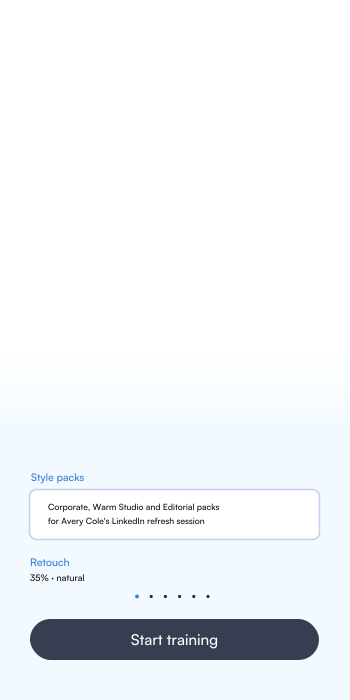
Choose up to four style packs, or let the studio choose, and set the retouch. Training is simulated, so your gallery is ready in seconds.
Download your shots
Favourite the best takes and export a 4:5 portrait, a LinkedIn square, a badge circle or a contact sheet of the whole session.



Frequently asked questions
An AI headshot studio designed and built by Randy See. People upload a few selfies, pick style packs and get studio-style headshots; teams lock one house style so everyone matches. This site showcases the product, and the studio at /studio is a working demo you can use right now.
No, and it says so on every image. The demo runs entirely in your browser: previews are either CC0 illustrations placed on each pack's backdrop, or a cropped, colour-graded copy of your own photo marked “Demo preview · not AI”. The full version connects a real image model that re-renders backdrop, wardrobe and lighting.
Not in the demo. Photos are decoded, checked and resized on your device and saved only in this browser's local storage. Deleting a session or pressing “Reset demo data” removes them.
Real AI rendering with a private likeness model per person, on a hosted API or your own GPU cloud. It runs on your domain with your name, palette and style packs, plus accounts, cloud storage with retention rules you choose, team rosters with invites and a locked house style, and a full handover of the source code and deployment.
An admin picks a house style once, and every teammate's headshots render against the same backdrop, framing and light, including next year's hires. Try it in the demo's Team workspace: change the style lock and the whole roster follows.
Message Randy See on WhatsApp or by email from the contact page. We'll scope it with you, build it, and hand it over, or keep running it for you if you prefer.