Start
Everything here works in the demo

Drag cards between lists, track checklists and due dates, and filter to the work that matters. The live demo runs right in your browser, so you can try it now.
Built and hosted by Randy See with the same stack we use for client projects
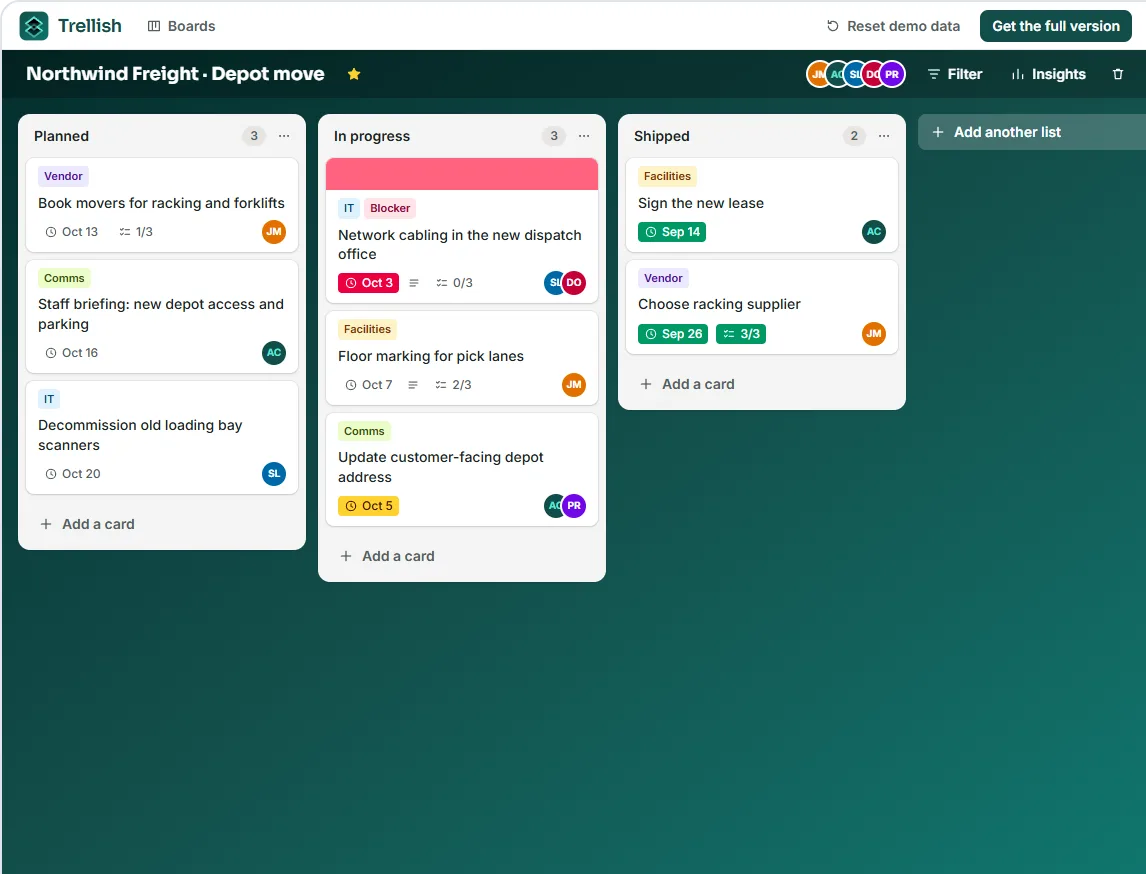
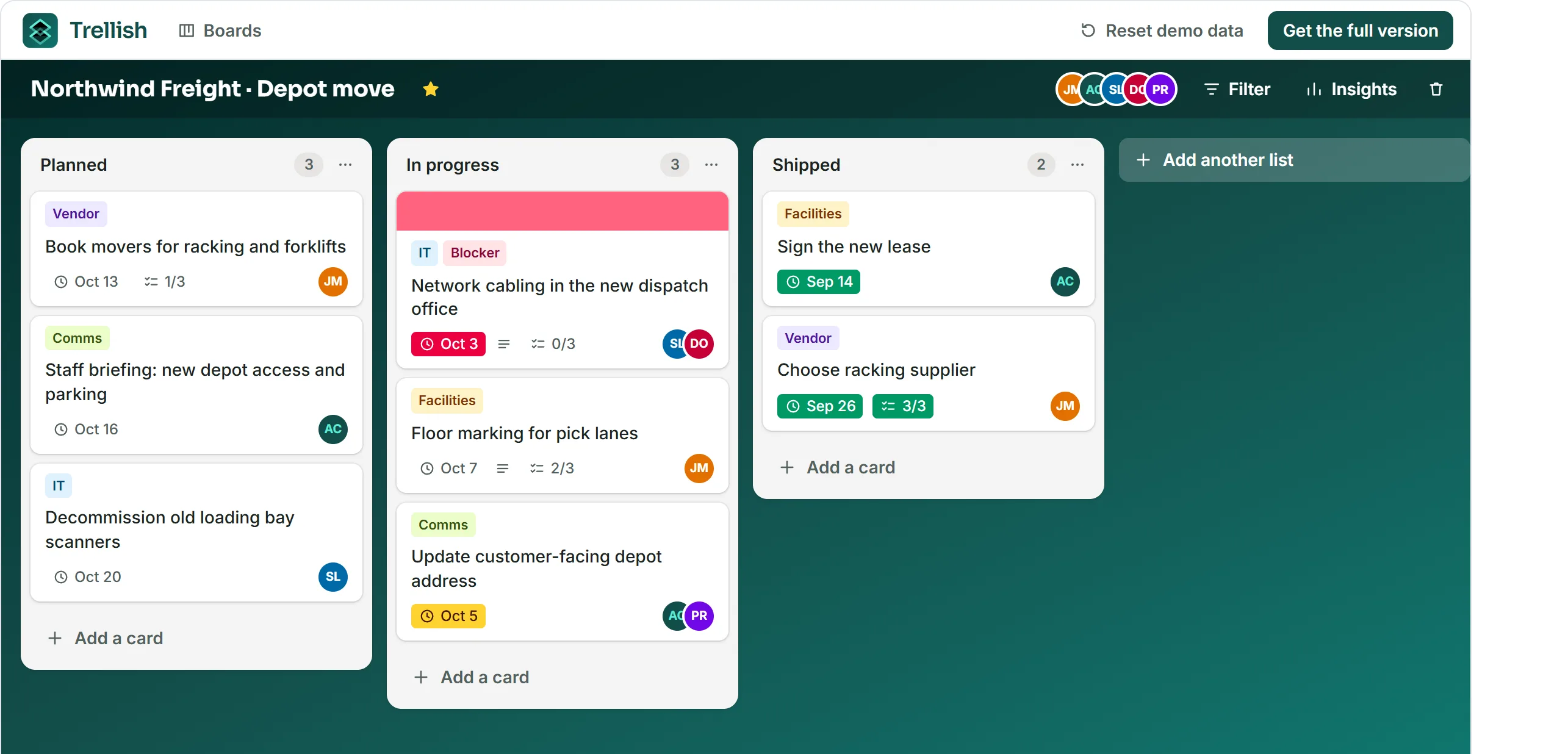
Lists, cards, checklists and due dates, all on one board.
Every card counts its checklist items on the front, so you can see how far along it is.
Labels, members and due dates keep each list readable at a glance.
Overdue and due-soon cards stand out, so deadlines stay in check.
Start from a sample board for projects, sprints, content, bugs, onboarding or clients.
Move cards from Planned to In progress with a simple drag-and-drop
Board, card and insights views to keep projects organized and your team aligned.
Move cards between lists by mouse, touch or keyboard. Every move is saved the moment you let go.
Open a card for labels, members, a due date, a description and a checklist with live progress.
See cards per list and per label, what's overdue or due soon, and how far the checklists have got.
Six things the live demo already does for your team.

Cards per list and label, overdue and due-soon counts, and checklist completion.

Assign members to cards, then filter the board down to only your own work.

Move cards with a mouse, a press-and-hold on touch screens, or the keyboard.

Overdue and due-soon dates are flagged on the card front, so nothing slips by.

Each card counts its finished checklist items, so progress is always visible.

Start blank or from six ready-made boards, then rename and reorder every list.
Real cards from the demo's six sample boards. The companies and people are fictional.
Contractor needs the ceiling plan before running cable. Waiting on the landlord to release it, so dispatch stays on the old office network until the patch panel is in.
Reproduces on units with firmware 4.2+. Suspect the dock beacon filter drops the signal when two docks are in range, so the planner keeps re-routing instead of docking.
First draft is 2,400 words. Trim to 1,800, get the quotes approved by Ironvale's comms team, and pick two photos from the factory floor shoot before it goes to subs.
Started after the auth library upgrade. Drafts should autosave before the token refresh, so a claimant who steps away mid-claim comes back to everything they typed.
Shadowing on the ward Tuesday and Wednesday, medication system training Thursday, and a buddy check-in on Friday to catch anything the first week missed.
Booth is 6m x 3m. Printer needs final files five working days before the show, so the wall graphics and counter wrap have to be signed off by Ironvale this week.
Lanes follow the new racking layout, with a wider walkway by the dock doors. Paint is on site; the marking crew needs the floor empty for a full day before forklifts move in.
VoiceOver reads the question but jumps straight to the next field. The radio buttons sit outside the fieldset, so they never get a group name. Fix the markup, then re-test.
Thirty product shots for the spring catalogue. Colour grade is done to match the brand swatches; next is the client review, then exports at print and web sizes.
Got questions? We've got answers.
Yes. Every board, list and card in the demo is fully working: drag cards between lists, open them for labels, members, due dates and checklists, filter the board, and create boards of your own. The only difference is where data lives. The demo keeps it in your browser, so there is no sign-up and nothing is sent anywhere.
They are saved in this browser on this device, so they survive a reload. Clearing site data, a private window or a different device starts fresh. Use "Reset demo data" in the app to bring back the six sample boards at any time.
A version of Trellish built for your organisation by Randy See: connected to your own backend and sign-in, carrying your branding, and extended with the workflows and integrations you need. It is scoped per project rather than sold as a subscription.
Yes. Migrating existing boards, cards, checklists and due dates is part of scoping the full version. Tell us which tool you use today and roughly how much data you have.
You do. The full version runs on infrastructure you choose, and Randy See hands over the source code and documentation when the project is done.
Use the contact page to send a short brief on WhatsApp or by email. It opens a pre-filled message to Randy See, and nothing is sent until you press send.